

How to setup L2TP on iPhone iOS
Last updated on September 2nd, 2021 in Setup
Here you will find how to setup L2TP on iPhone. This tutorial is compatible with iOS 8, iOS 9, and iOS 9.3.
We recommend you to use our free VPN app for iOS, for an easier and faster connection. But if you want to setup it manually, just follow our instructions.
Before start, you need to have an active VPN account, if you do not have one follow the link – Get FREE VPN trial account!
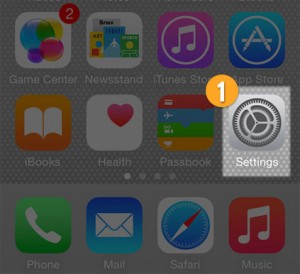
1. Go to the Settings
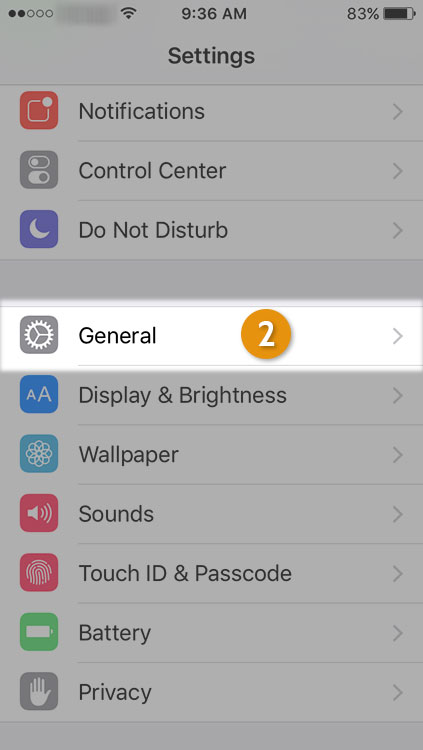
2. Go to General
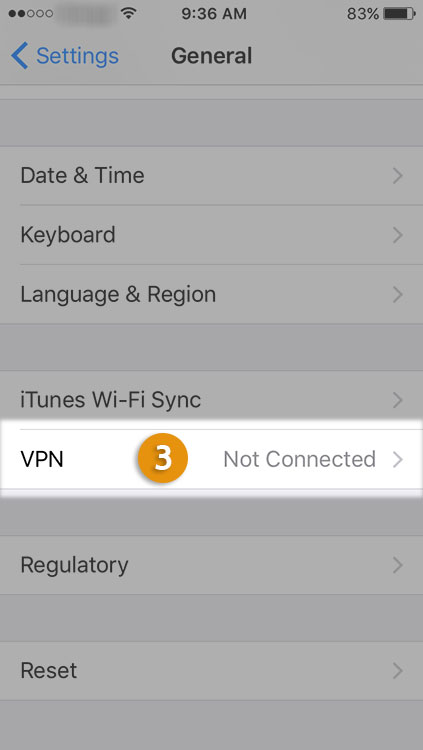
3. Scroll down and select VPN (3).
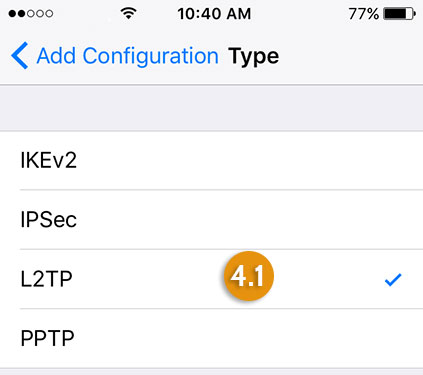
4. Press on “Add VPN Configuration”, then press on “Type” (4) to choose vpn protocol
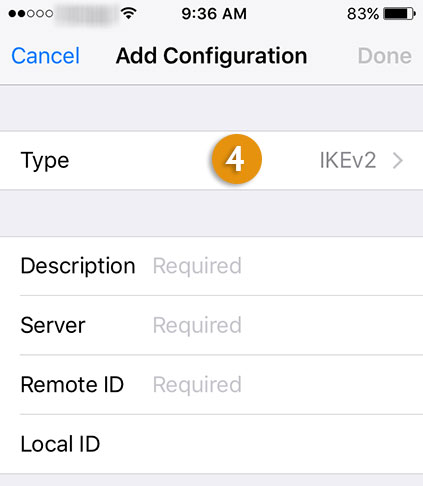
In opened sub-menu select L2TP (4.1)
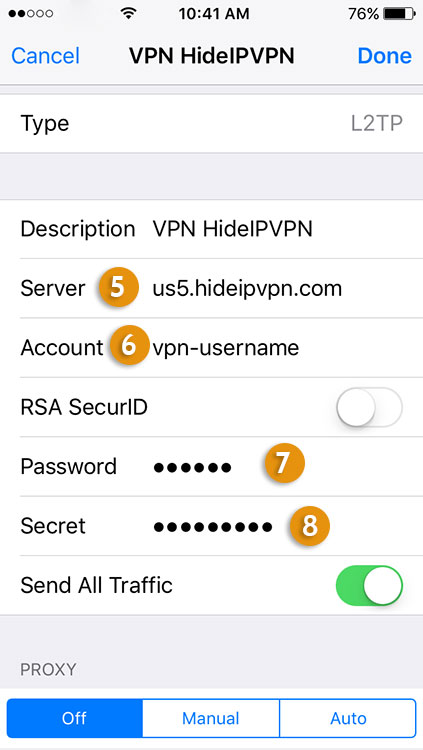
5. Now you have to do next:
6. You can now connect to the VPN. (9)
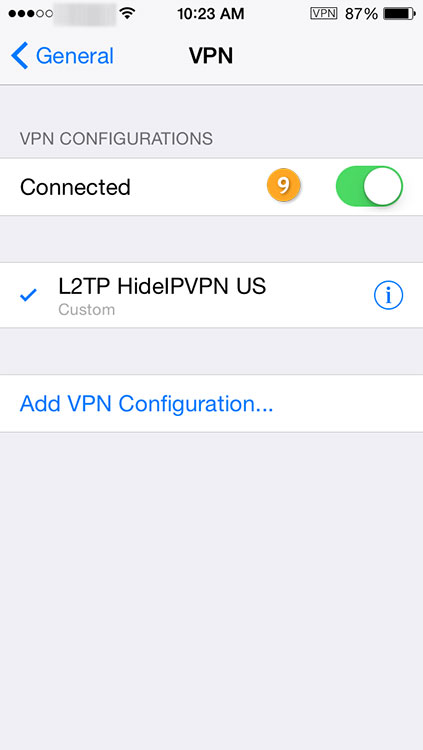
8. To Disconnect from VPN just disable VPN. (9)
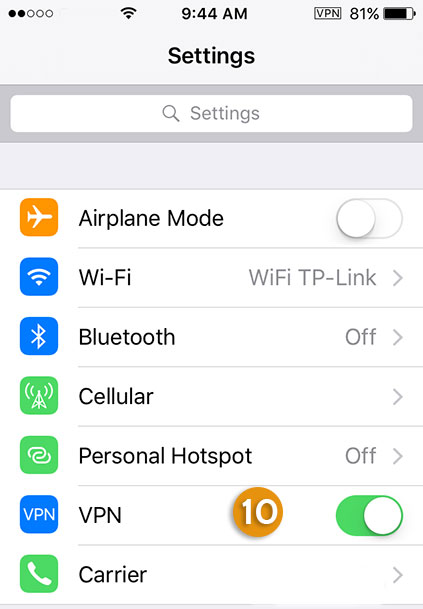
9. In future to connect just go to Settings and enable/disable VPN (10)
Now you’re done! Enjoy your safe L2TP on iPhone from HideIPVPN!

